
Binding account & Data Sync
Telcom Binding
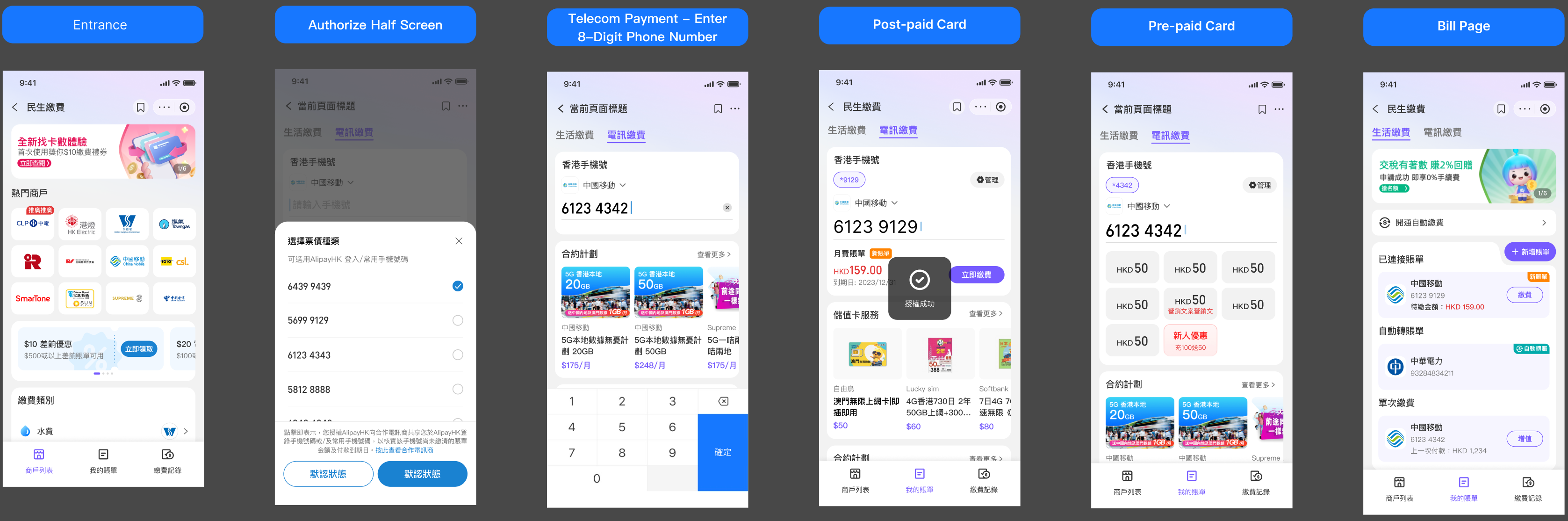
Step 1
- The user selects Telecom Bills and chooses the corresponding telecom carrier.
Step 2
- The user is redirected to the Telecom Bill Payment tab.
- The mobile number is either auto-filled or manually entered, depending on the user’s existing binding status and recharge for any mobile number before.
- Postpaid: OTP verification is required unless the mobile number has already been authorized.
- Prepaid: No OTP verification is required.
Step 3
- After entering the mobile number (OTP verification may be required), the page refreshes and displays one of the following results, depending on the carrier’s response and the user’s account status:
- The latest bill status and amount, or
- The recharge / top-up page.
Step 4
- AlipayHK synchronizes the telecom account binding result.
- The corresponding bill information is displayed in the Bills Management tab, enabling quick access for subsequent bill payments.
API list
- 1.2. Sync Additional info (Optional)
- 2.1. Query info by accountNo
- 2.3. Verify account no
- 2.9. Account Binding (Optional)
Other Binding
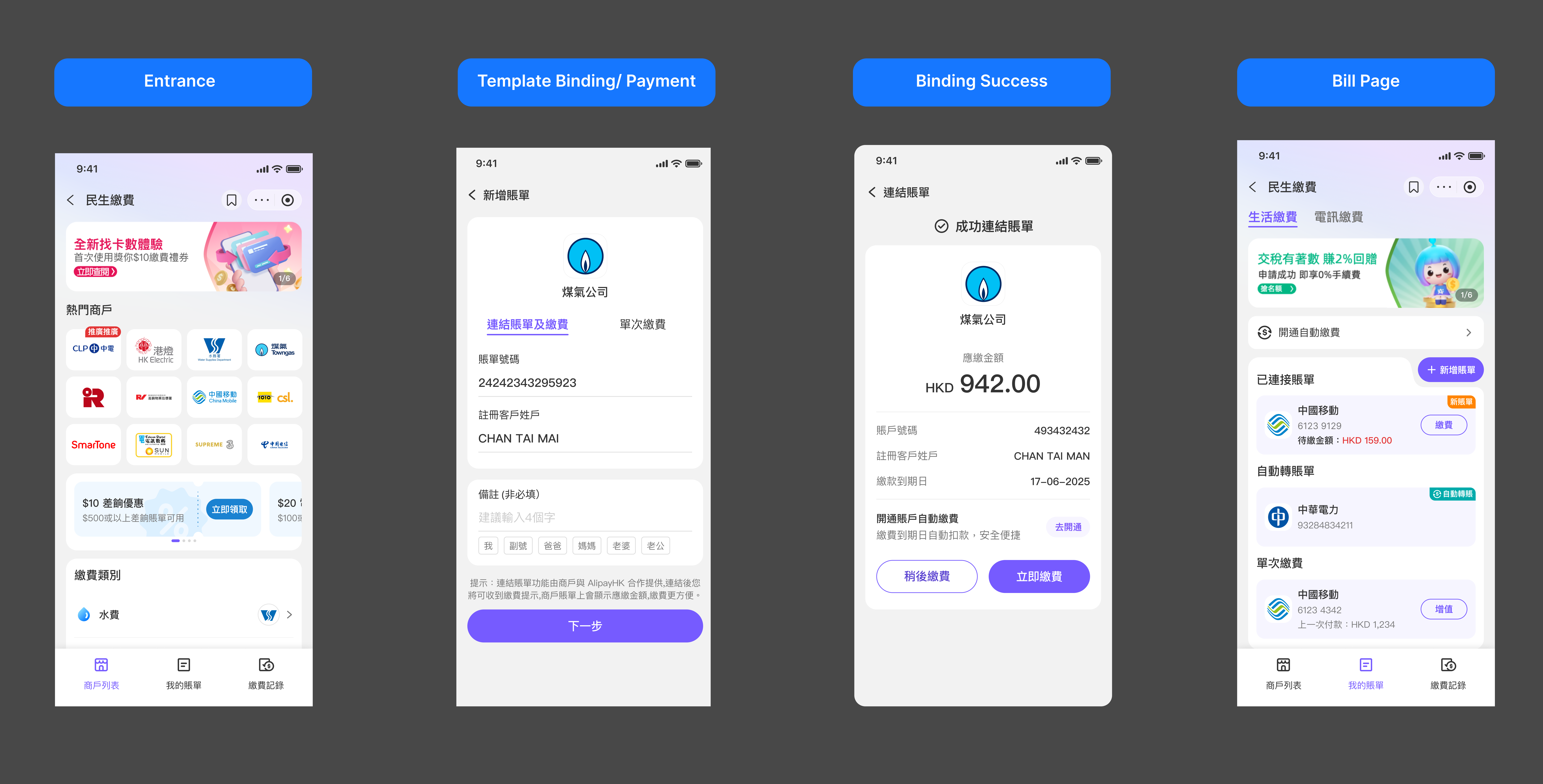
API list
- APIs like Telcom Binding
- 1.8. Create Template
- 2.10. Order Create
Account Unbinding Process
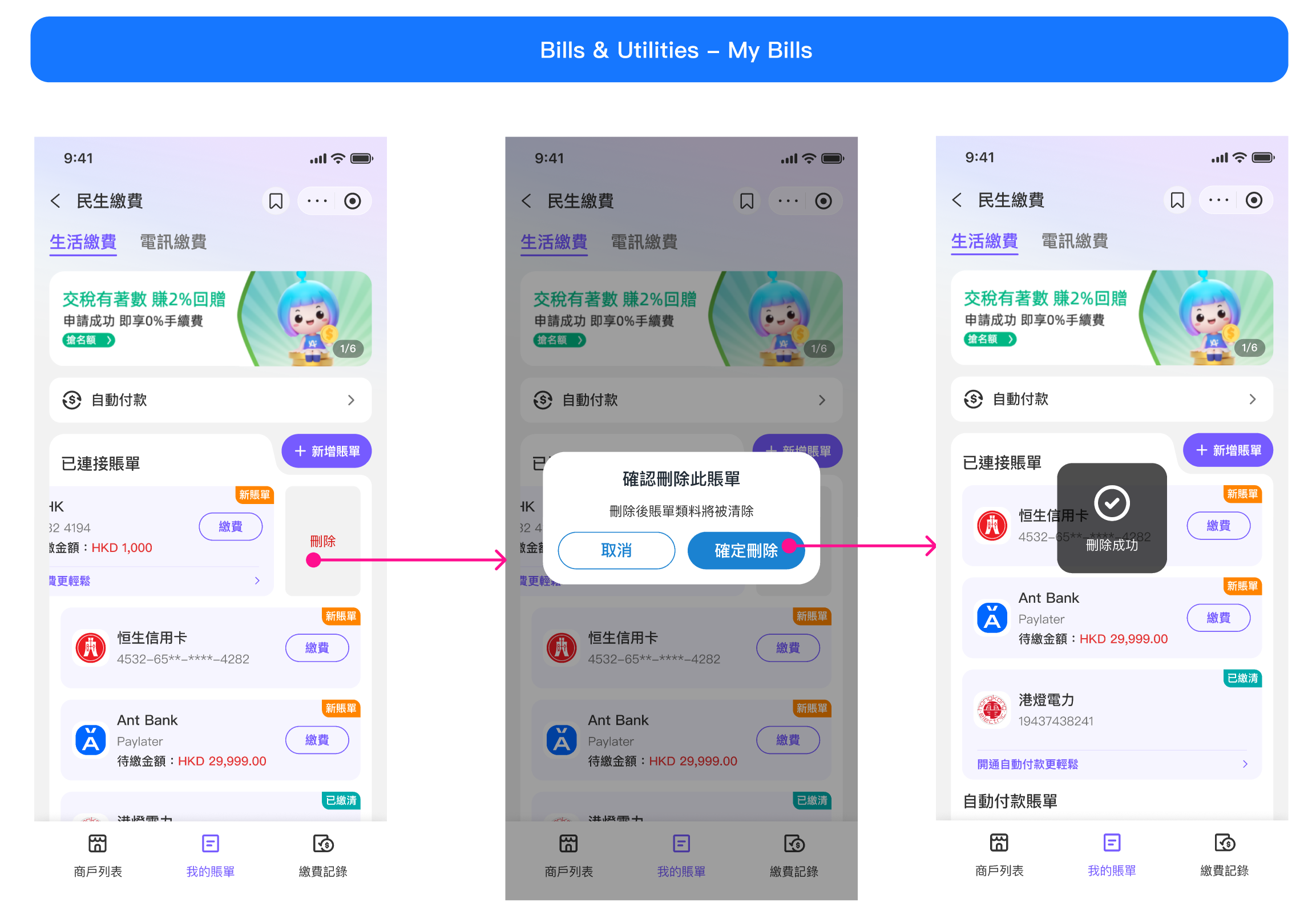
API list
- 2.8. Account unbinding (Optional)