
Enable/Disable auto-debit
Tips:
This solution is for the merchant who have the capability to initiate automatic debits to AlipayHK as needs.
Enable Auto Debit – Merchant-Initiated Payment
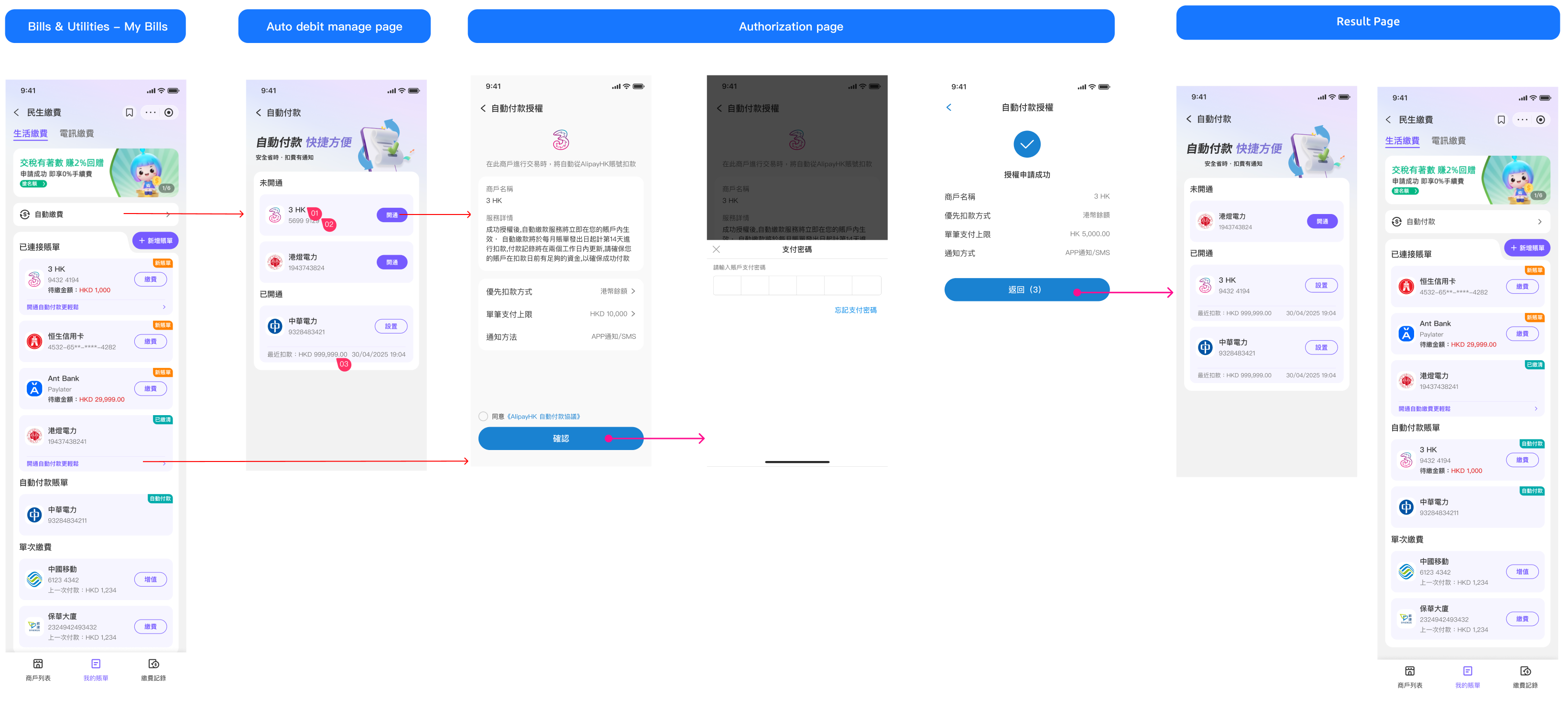
Step 1: The users click "開通" button to start a authorization flow.
Step 2: The users will be redirected to the authorization page.
Step 3: The users agree with the auto-debit authorization and enter the password to double confirm.
Step 4: The users successfully sign the agreement.
API list
Unbind account & Disable Auto-debit
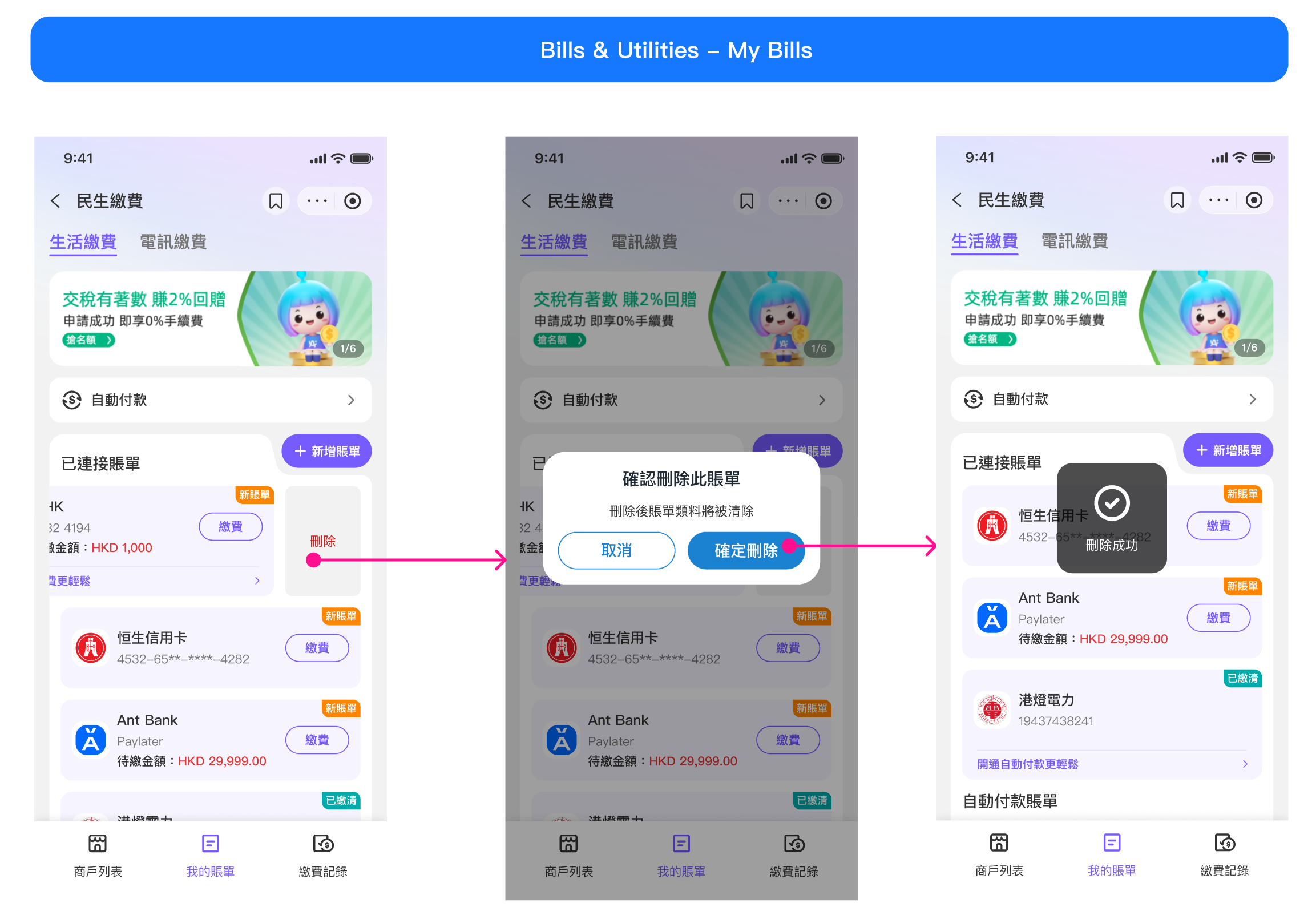
Users swipe to delete already-linked accounts.
If the user's auto-debit is activated through AlipayHK's Bills & Utilities, then the merchant can stop the agreement(call cancelByAuthInfo API) when unbinding the account.