
Top-up & Bill payment
Top-Up Flow
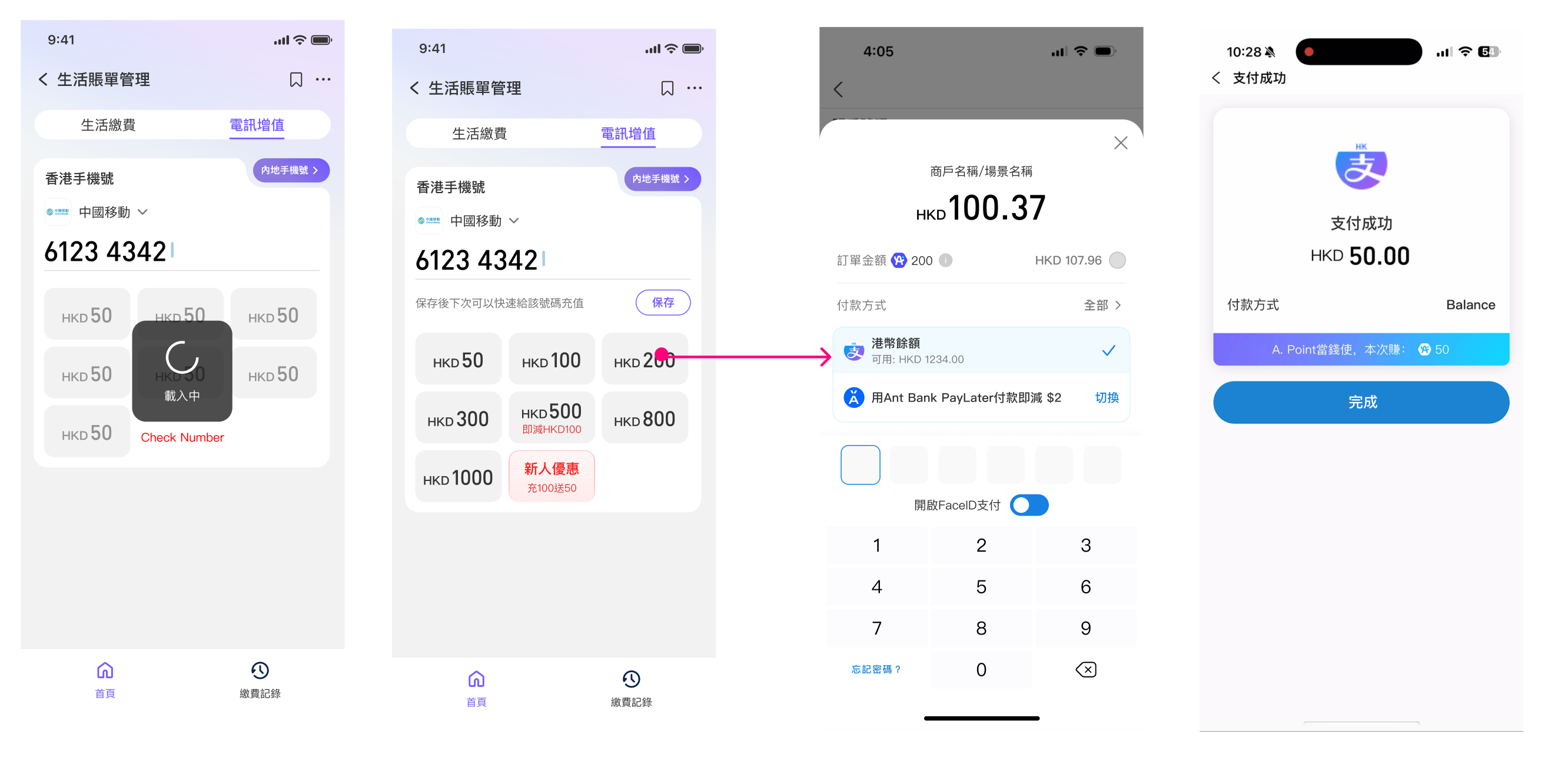
Step 1: The user selects the desired top-up amount.
Step 2: Show payment cashier & finish the payment
API list
Bill Payment Process
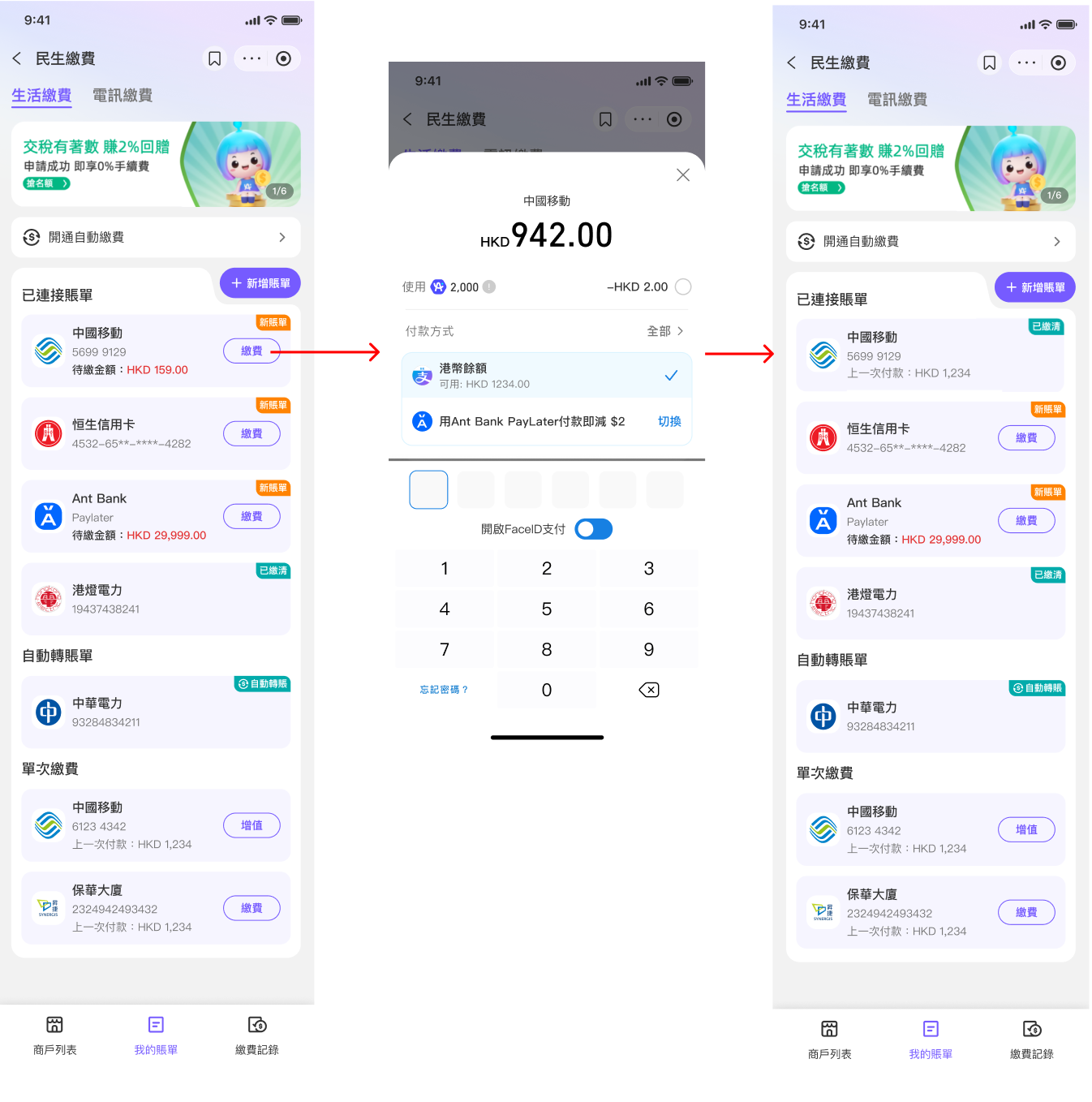
Step 1. The user clicks “Pay”.
Step 2: The user show cashier for pay the bill.
Step 3. After payment, the user returns to the “My Bills” page, where the latest status of the bill is displayed.